Real client
Ad seller gets ordered vs aired, spot by spot, before his pitch
An ad sales lead had order files, station logs and a presentation the next day. We built a workbook with him on a call that matches every spot ordered against every spot aired.
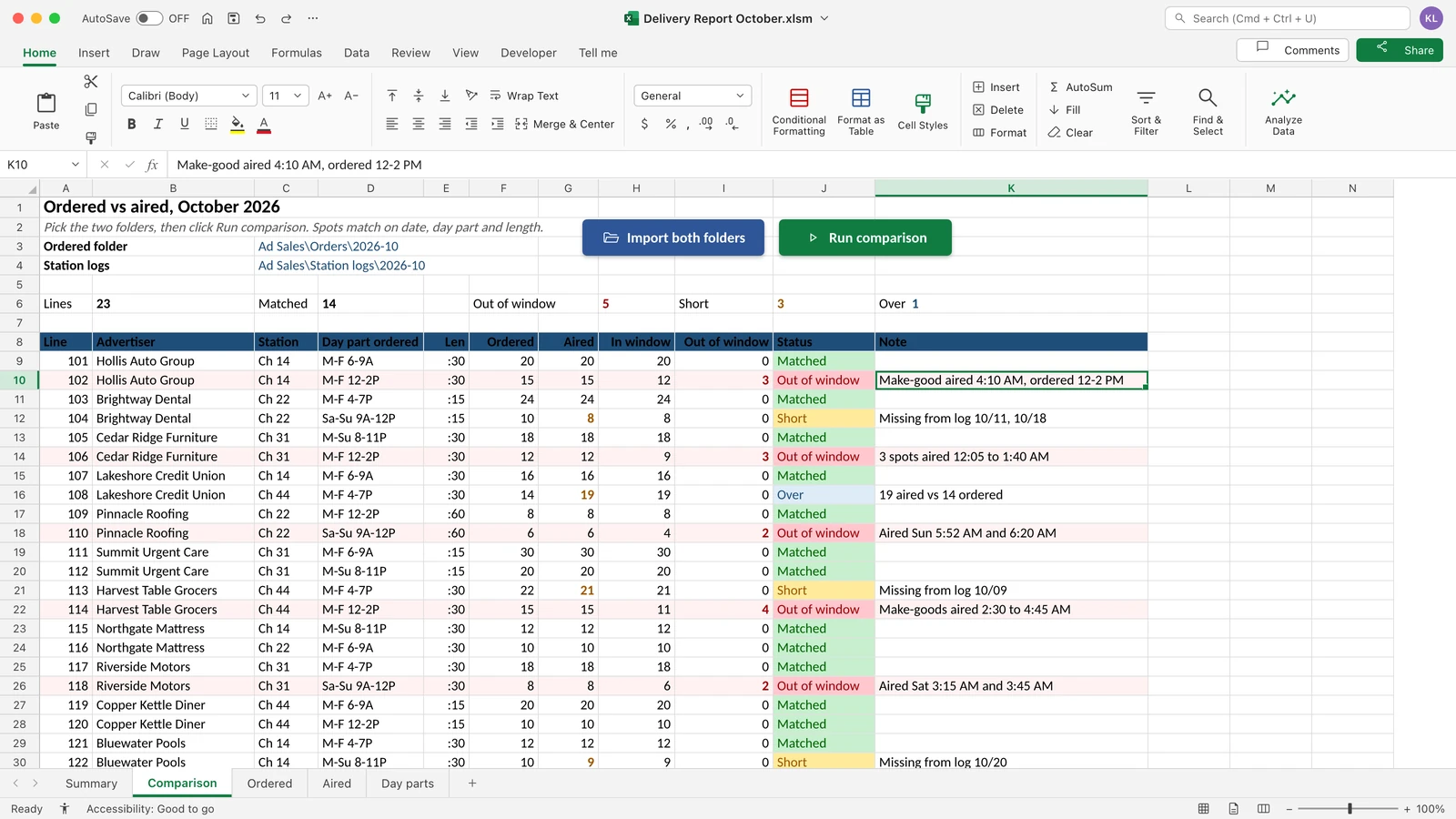 Rebuilt on test data
- Trade
- Broadcast ad sales
- Team
- One ad sales lead
- Client since
- Jul 2026
- Built in
- Built across calls from 13 to 17 Jul 2026, ready before his presentation
- Built by
- Excel and VBA developer, built live with him on calls
- Tools
- Excel
- VBA
Before and after
He tried for two weeks to build the report himself. The presentation was the next morning.
| Before | After | |
|---|---|---|
| Ordered vs aired | Order files and station logs matched by hand | Every spot matched on date, day part and length |
| Next month | Start again | Point at two folders, click once |
What we built
- One report. Ordered, aired and the gap, side by side.
- Two folders, one button. Drop in the order files and the station logs, then click once.
- Built live with him. Fixed on the calls. Dates switched to US format on the spot.
How it works
- Point it at the orders folder and the station logs folderExcel
- One click imports bothVBA
- Every spot is matched on date, day part and lengthVBA
- The report shows out-of-window, short and over spotsExcel
What broke and how we fixed it
What broke
Make-goods ran outside the ordered window, so the orders and the station logs never lined up.
How we fixed it
The workbook matches each spot by date, day part and length, and shows every one that ran outside its window.
Report due tomorrow and the numbers will not match?
Tell us the two files that should match. We will show you how they line up.
Or send one sample file on WhatsApp (opens WhatsApp). Fake names are fine.
We reply within one business day. No card, no contract.
More builds like this
Leads in DMs, bookings in Calendly, payments in Whop. Nobody could see where people dropped off.
Every lead lands in one sheet with its booking and its payment. A dashboard counts leads, booked, showed up and paid. The owner can see the step where people drop off.
Instagram coach
Payday came twice a month, and the numbers did not always add up.
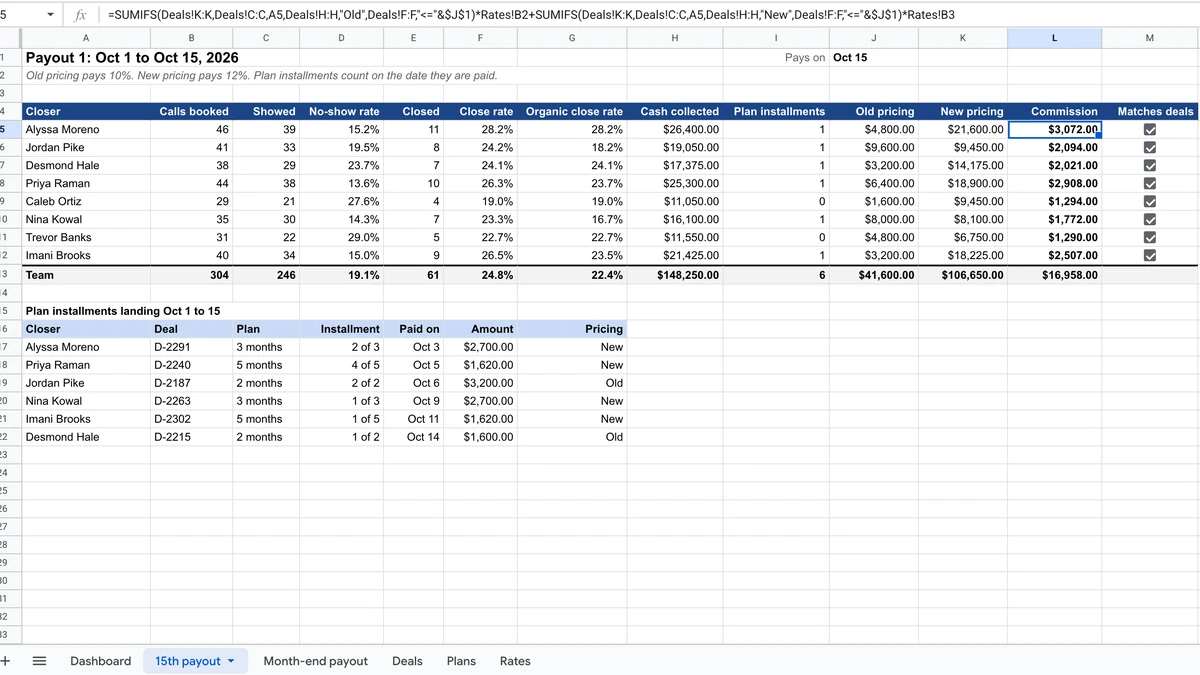 Rebuilt on test data
Sales team on commission