Demo on test data
Demo: AI takes the phone order, the ticket lands on a kitchen screen
This is our demo on a made-up menu. The AI answers, reads the menu, takes the order and reads it back. The ticket lands on a kitchen screen.
Read the transcript
It will be working 24 by 7, it will be getting orders, so you don't have to put persons on the call. Hi, can you hear me? Hey there! Yeah, I can hear you fine! What can I get started for you today? Can you tell me what's there on the menu? Sure thing! We've got pizzas like Margherita and Pepperoni Feast, I want pepperoni pizza and a cola. Got it! One Pepperoni Feast and one Cola Zero. Got it! Order placed. Your food will be delivered in about 45 minutes. Enjoy! We can do the call, we can do the chat. It can also be added on your Instagram, Facebook page. If I just click on mark ready, so that's delivered as well. And you will get everything on your CRM, on your dashboard, so you can just prepare it and deliver it. Similarly, here you can update the menu, what are the things that are available.
Hear the AI take the call
17 seconds of the demo call. Test data, no real customer.
Read the call
AI: Sure thing! We've got pizzas like Margherita and Pepperoni Feast,
Customer: I want pepperoni pizza and a cola.
AI: Got it! One Pepperoni Feast and one Cola Zero.
AI: Got it! Order placed. Your food will be delivered in about 45 minutes. Enjoy!
- Trade
- Restaurant
- Tools
- Voice AI
- Web chat
- Kitchen display web app
Before and after
Before
At rush hour, the person on the phone is the person not cooking.
Rush-hour calls go unanswered or pull staff off the line.
After
The order is taken and the ticket is on the screen.
What we built
- Answers and reads the menu. It picks up and reads the menu when asked.
- Reads the order back. Items, then the email, read back to confirm.
- Ticket on the kitchen screen. Marked open, ready, then delivered.
- Your own menu. Items and what is available change from a settings tab.
- Your order system. In the demo the ticket goes to our own kitchen screen. A real setup would connect to the system you use for orders.
How it works
- The customer calls and the AI reads the menuVoice AI
- It takes the order and reads it backVoice AI
- The ticket lands on the kitchen screenKitchen display web app
- Staff move it to ready, then deliveredKitchen display web app
Missing orders at rush hour?
Tell us how phone orders reach your kitchen today.
We reply within one business day. No card, no contract.
More builds like this
The owner wanted to know if marketing made profitable customers. The answer sat behind separate logins for calls, ads, search and sales.
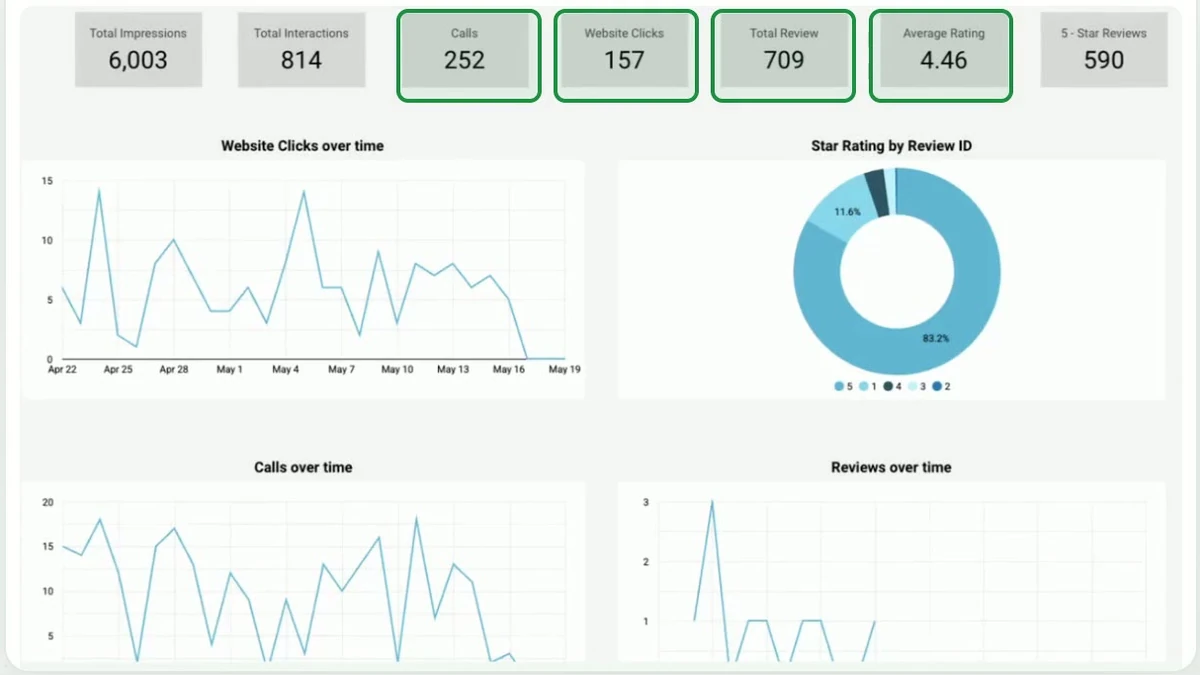 Real screen, names boxed
Phone repair shop
Calls ate the team's day. Outreach ran from several inboxes by hand.
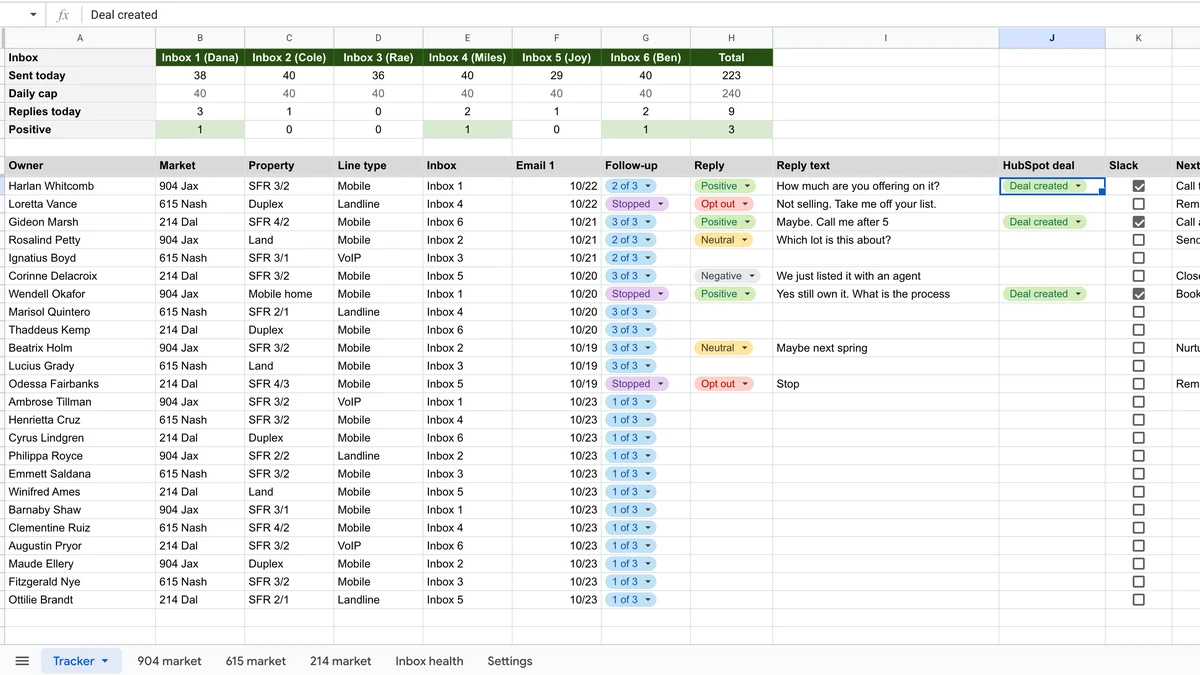 Rebuilt on test data
Real estate investor